Generic Geo fencing guide.
Direct access
Step 1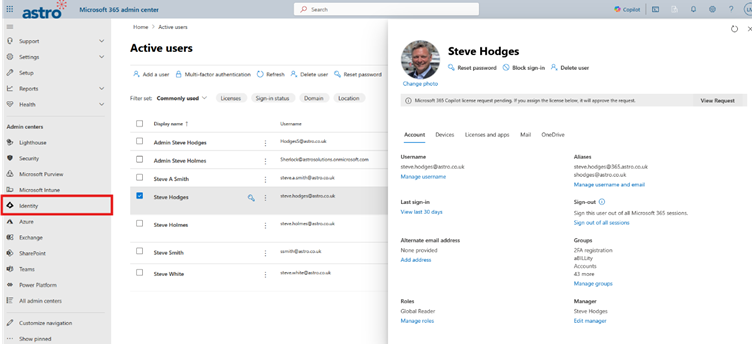
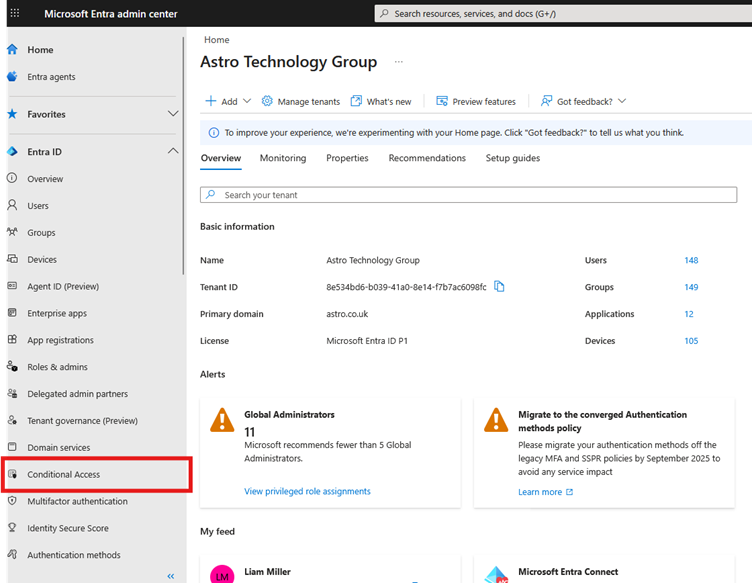
Step 3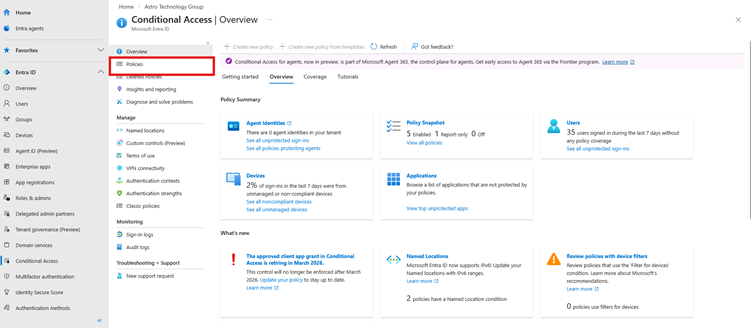
Step 4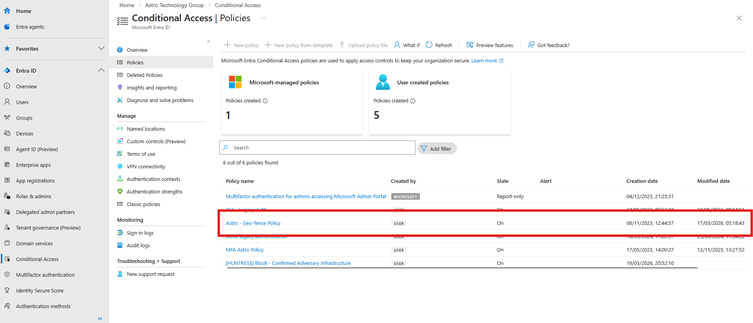
Step 5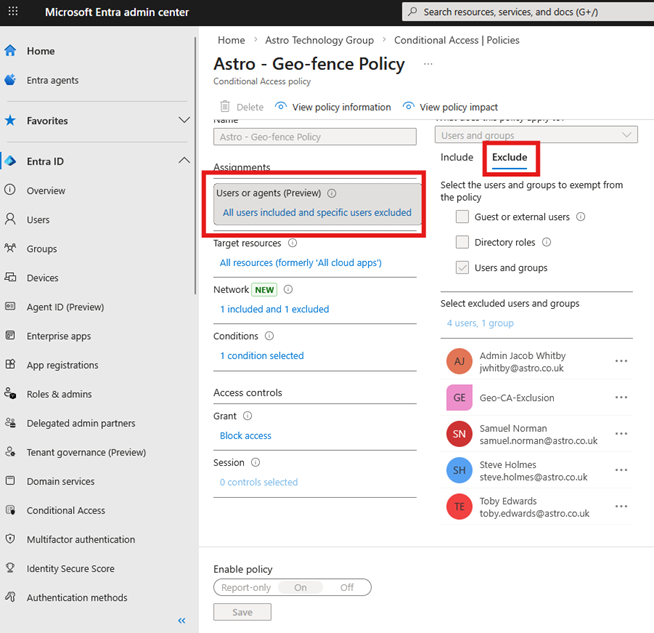
Group access
Step 1
Bring up this page by searching for the user.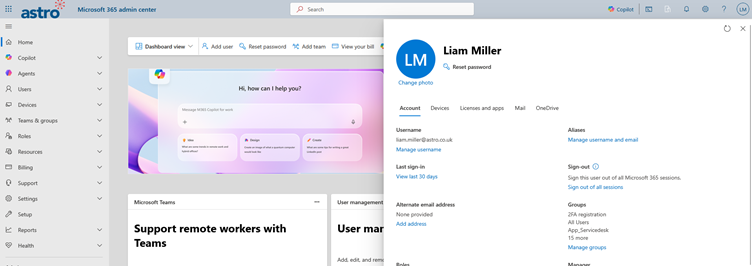
Step 2
Find Groups.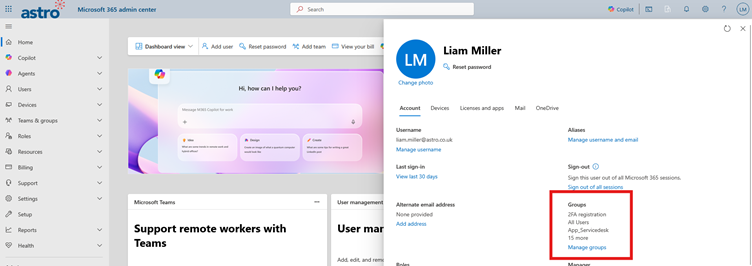
Step 4
Assign membership
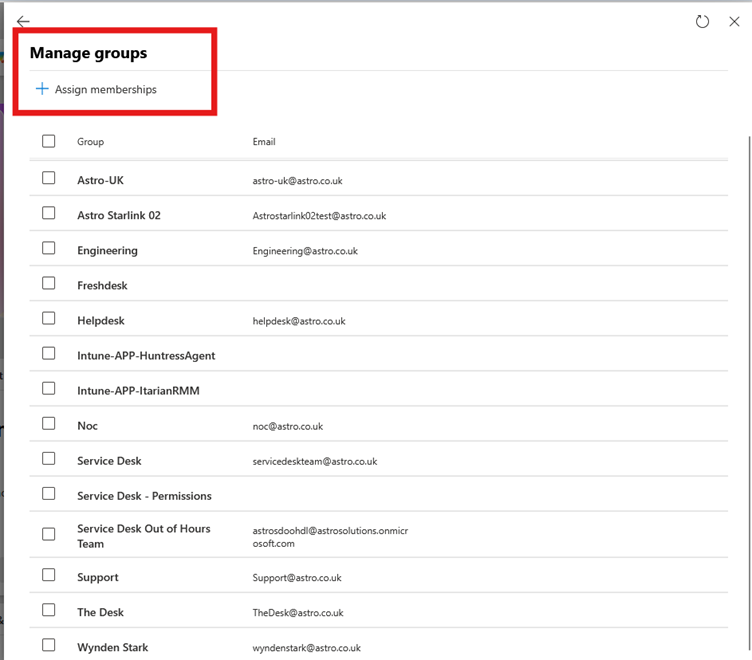
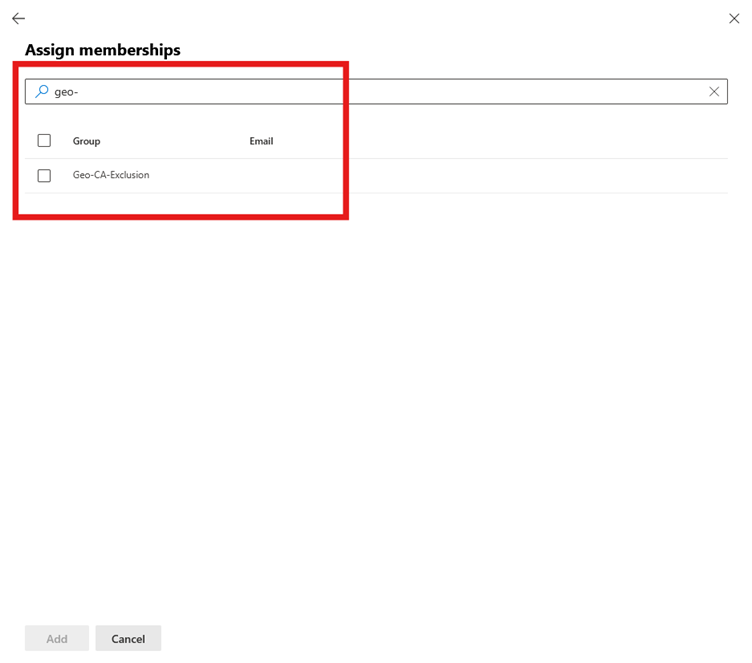 step 6 Select the group and click add
Was this article helpful?
That’s Great!
Thank you for your feedback
Sorry! We couldn't be helpful
Thank you for your feedback
Feedback sent
We appreciate your effort and will try to fix the article